<?xml version="1.0" encoding="utf-8" ?>
<feed xmlns="http://www.w3.org/2005/Atom" xml:lang="en-US">

	<title>Obsume</title>
	<link rel="alternate" type="text/html" href="https://onetruegnu.com/" />
	<link
        rel="self"
        type="application/atom+xml"
        href="https://onetruegnu.com/feed.xml"
    />
	<updated>2026-05-09T09:26:00+01:00</updated>
	<id>urn:uuid:e9f150f2-fa53-41f2-81e3-b08c617c1377</id>
	<author>
    	<name>Gnu</name>
    	<uri>https://onetruegnu.com</uri>
	</author>

	<entry>
		<title>Vim for Numbers</title>
		<link
			rel="alternate"
			type="text/html"
			href="https://onetruegnu.com/blog/vim-for-numbers"
			/>
		<id>urn:uuid:3F476616-BDD4-4310-9EF5-064D568C99C4</id>
		<published>2025-10-30T10:04:00+01:00</published>
		<updated>2026-05-09T09:26:00+01:00</updated>
		<content type="xhtml">
			<div xmlns="http://www.w3.org/1999/xhtml">
				<p>
				Recently, I got the calculator app <a href="https://pcalc.com">PCalc</a> on my Mac, and its
				customisability is great, but by far the best feature is RPN. RPN (short for “Reverse Polish
						Notation”) is a different way of expressing calculations, where instead of the operator going
				between the operands (like in “6 × 7”), it goes after them both (like in “6 7 ×”). While I
				definitely do not advocate that you write your math like this on paper, it's an amazing way
				to enter your math for a calculator.
				</p>
				<figure>
				<iframe width="700" height="400" src="https://www.youtube.com/embed/lFzvf5gonfc?si=tKpmD3d3lwj_Up71" title="YouTube video player" frameborder="0" allow="accelerometer; autoplay; clipboard-write; encrypted-media; gyroscope; picture-in-picture; web-share fullscreen" referrerpolicy="strict-origin-when-cross-origin"></iframe>
				<figcaption>Calculating some damage values in Slay the Spire</figcaption>
				</figure>
				<p>
				With RPN, as you start entering a number, it will go into the <b>x</b> register. Then, you
				can press return, and it will [Push] the values in all registiers up one level. In this case,
				the value you typed into the <b>x</b> register will move into the <b>y</b> register. If you
				[Push] again, the value in the <b>y</b> register moves into the <b>1</b> register, and
				another would would move it to the <b>2</b> register, and so on. Physical RPN calculators would
				have a finite number of registers (perhaps four) and call them by different names (like <b>x</b>,
						<b>y</b>, <b>z</b> and <b>t</b>), but PCalc has no problem magically creating new reigisters as
				you [Push] more and more numbers into it, though rarely are very many used.
				</p>
				<p>
				After pushing the value you entered from <b>x</b> to <b>y</b>, you can start typing again, filling
				up the <b>x</b> register with a new value. Then press <b>+</b> to add the values in <b>x</b> and
				<b>y</b> together. That's it! As you would imagine, pressing different operators will perform different
				operations, but that is not too difficult to master.
				</p>
				<p>
				Once you get used to RPN, one powerful property you'll appreciate is that parentheses
				are never needed. Because you execute your operations one at a time, you can pick
				the order they happen in, without needing to use curvy lines to communicate with the
				computer. Even though I execute a quite complex calculation in the video: ⌊15 × 1.5⌋ + ⌊9 × 1.5⌋ + 10,
				the order of operations can be expressed simply by my choice to leave certain values
				“on the stack” in higher registers, so that when I perform operations on the <b>x</b>
				and <b>y</b> registers, they are left alone. See how from 0:05 to 0:09 in the video I'm
				able to calculate ⌊9 × 1.5⌋, and the multiplication only affects the 9, and not the
				22 left in the <b>1</b> register from previous operations.
				</p>
				<p>
				When entering numbers on a keyboard or touchscreen with RPN, I feel a similar sense of speed
				and control as I do when using Vim motions to edit code. I am very new to RPN, having only
				used it (at time of writing) yesterday evening and a little this morning, so I am excited
				to grow my proficiency with it over time.
				</p>
				<p>
				Also, if you write words or code on a computer, and when I said “Vim motions” you didn't know
				what I meant, take a look at <a href="https://www.youtube.com/watch?v=sqm4-B07LsE">this video</a>
				and give Vim motions a try. You're really missing out.
				</p>
			</div>
		</content>
	</entry>

	<entry>
		<title>Favourites 2</title>
		<link
			rel="alternate"
			type="text/html"
			href="https://onetruegnu.com/blog/favourites-2"
			/>
		<id>urn:uuid:63A9D022-722B-4482-BE2C-303DB679C2A1</id>
		<published>2025-08-06T17:37:00+02:00</published>
		<updated>2026-04-30T17:45:00+01:00</updated>
		<summary>Another list of my favourite things I've encountered recently.</summary>
		<content type="xhtml">
			<div xmlns="http://www.w3.org/1999/xhtml">
				<p>This time, I've got some new things to share.</p>
				<h3>Donkey Kong Bananza</h3>
				<p>
				In <em>Bananza</em>, you play as DK, whose strength is now
				so great that he can smash right through any ground in his
				way – and boy is it fun to do.
				The most critical thing about this game is the <em>juice</em>
				in every single punch, pressed fresh from the sound effects,
				visuals, and rumble which ooze out from every hit.
				</p>
				<p>
				I think one of the things in this game which isn't talked
				about enough is the menu, which is almost as satisfying to
				navigate through as the ground is to punch. Each button press
				is accompanied by a firm sound and the button you pressed
				cracks like DK just punched it, in an immensely satisfying
				fashion.
				</p>
				<p>
				One thing to criticise is the way that the objectives feel a bit…
				mindless. My interaction with the game's story essentially comes
				down to pressing the left trigger every now and again, and then
				walking towards the yellow marker which appears. To add insult to
				injury, the progression  is pretty much as linear as progression can
				be, since the main objective of the game is literally to decend
				futher along a line.
				</p>
				<p>
				Still, the game is a bunch of fun, and I look forward to playing
				more over the coming days.
				</p>
				<h3>Blogging</h3>
				<p>
				Even though I've just started, it's really nice putting your thoughts
				into text, and I feel I have more motivation to do so than if I
				was say, journaling, when I know that what I write will go onto the
				internet for all to see.
				</p>
				<p>
				If you haven't already got a place to put your thoughts where others
				can see, I can't recommend it enough. The internet really is the perfect
				place for this kind of thing, so if you have the time and technical
				knowledge, I would definitely recommend self-hosting a blog, and if not
				you should definitely get one from a hosting provider. I've heard good things on
				<a href="https://daringfireball.net/linked/2025/08/02/cox-substack">
					Daring Fireball
				</a> about <a href="https://ghost.org">Ghost</a>.
				</p>
				<h3>RSS</h3>
				<p>
				Since starting one of my own, I've been searching around and adding
				a few blogs into NetNewsWire, the RSS reader app I use, and it's been
				great!
				</p>
				<p>
				If you're not familiar with RSS, it's essentially podcasts, but for reading
				– in fact podcasts actually <em>use</em> RSS!
				To get started, in the RSS app you use (typically called an RSS “reader”),
				you add a new feed to your subscriptions by going to some publication you enjoy
				and finding the URL for its RSS feed (typically linked with either
				the word RSS, or an icon similar to that of WiFi, except the waves
				emanate from the bottom-left corner).
				Next, you copy that URL into your reader of choice and – voilá! – you can
				now view their recent posts, and any new ones will automatically appear in the app.
				</p>
				<p>
				It's really nice to have something silent to do on your phone, but which
				isn't as endless as social media. I guess gaming also fits that bill, but
				often games require some level of time commmitment, even if it's very short.
				It feels bad to start a <a href="https://www.playbalatro.com">Balatro</a>
				run, and get off your train 30 seconds later, before you even beat the first boss –
				but with something like this, you can start reading an article (or even finish it
				if it's a short one) and return the magic rectangle to your pocket, satisfied.
				</p>
				<h3>Citymapper</h3>
				<p>
				Citymapper is a mapping app only for getting public transit directions.
				It's not great at everything else, but at that one thing, it <em>excels</em>.
				</p>
				<p>
				Firstly, Citymapper has a great way of showing you the steps of your journey.
				Instead of having one long scrolling list like Apple or Google Maps,
				it splits your journey into segments, which each get their own
				small-sheet-sized page in a horizontal list. This lets you more easily
				see each part of your journey and simultaneously get a visualization
				of that part on the map. This is definitely a feature optimized for transit.
				</p>
				<p>
				One of my favourite features of the app is its “Best Section” suggestion.
				When getting on a subway train, it tells you whether it's best to get on
				at the front, middle, or back. This suggestion isn't based on how busy
				the train is, but based on the <em>layout of the train station</em>, to help
				you optimise your exit or transfer. This feature is honestly awesome.
				It's so satisfying to leave the train and be standing right in front
				of the very staircase you need. Again, optimized for transit.
				</p>
				<p>
				Easily the best feature though is that you can make the dot for
				your current location be a potato. Once again, optimized for tr– okay fine,
				maybe this one wasn't optimized for transit.
				</p>
				<p>
				The app really isn't good to explore the map and work out <em>where</em>
				you want to go - a normal mapping app lives on my home screen for that
				- but if you've got a destination, Citymapper will take you there lightning
				fast, and that's what I love it for.
				</p>
				<h3>Subways</h3>
				<p>
				Where I live we don't have any underground trains, but recently I went on a
				trip to a city which does, and I am continually shocked at how fast they go.
				</p>
				<p>They be zoomin'!</p>
			</div>
		</content>
	</entry>

	<entry>
		<title>Favourites 1</title>
		<link
            rel="alternate"
            type="text/html"
            href="https://onetruegnu.com/blog/favourites-1"
        />
		<id>urn:uuid:dc39e14e-2cf9-4ebb-bbc2-690201c3df88</id>
		<published>2025-07-15T16:18:00+01:00</published>
		<updated>2026-02-20T07:27:22Z</updated>
		<summary>A list of my favourite things I've encountered recently.</summary>
		<content type="xhtml">
    		<div xmlns="http://www.w3.org/1999/xhtml">
          		<p>Here are some of my favourite things I've encountered recently.</p>
          		<h3>iOS 26 Home and Lock Screen Customisation</h3>
          		<p>
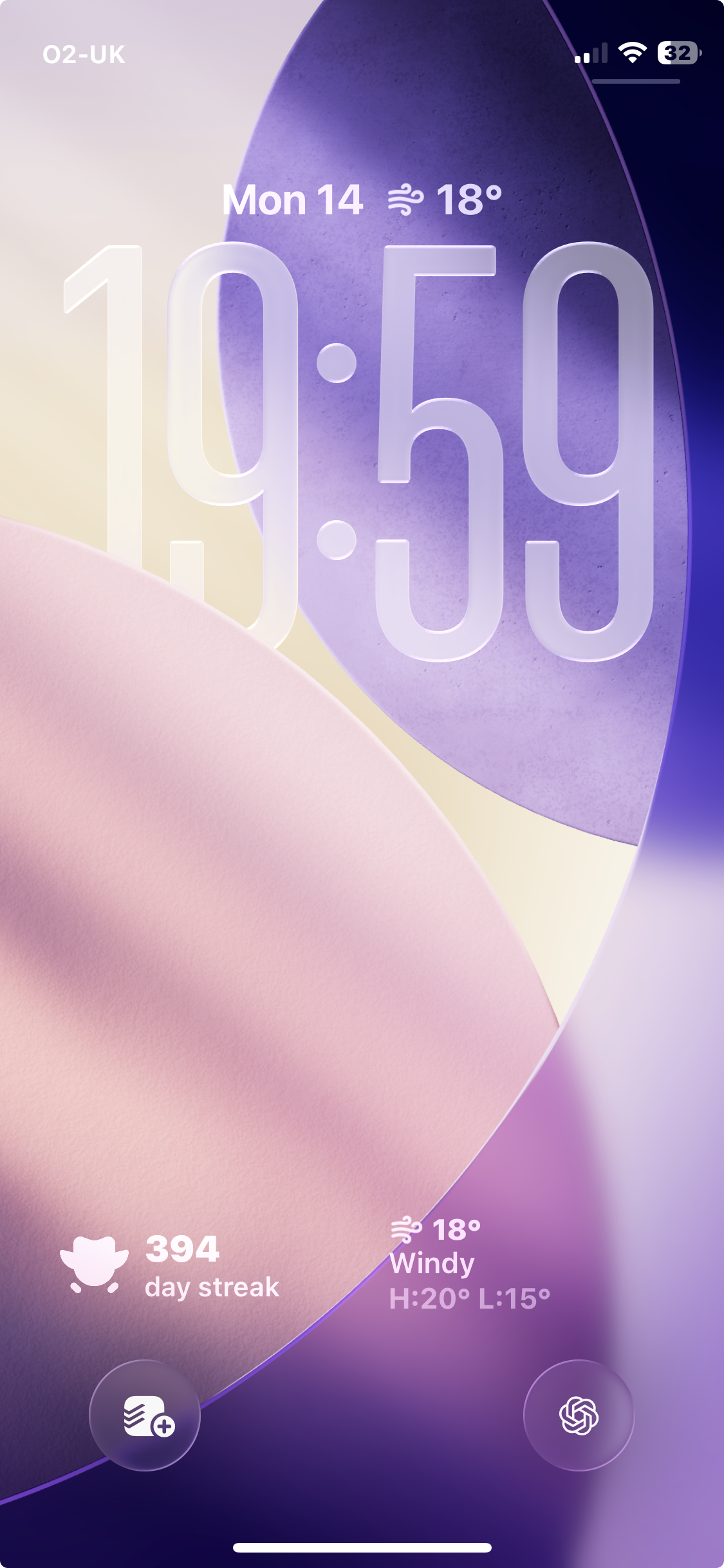
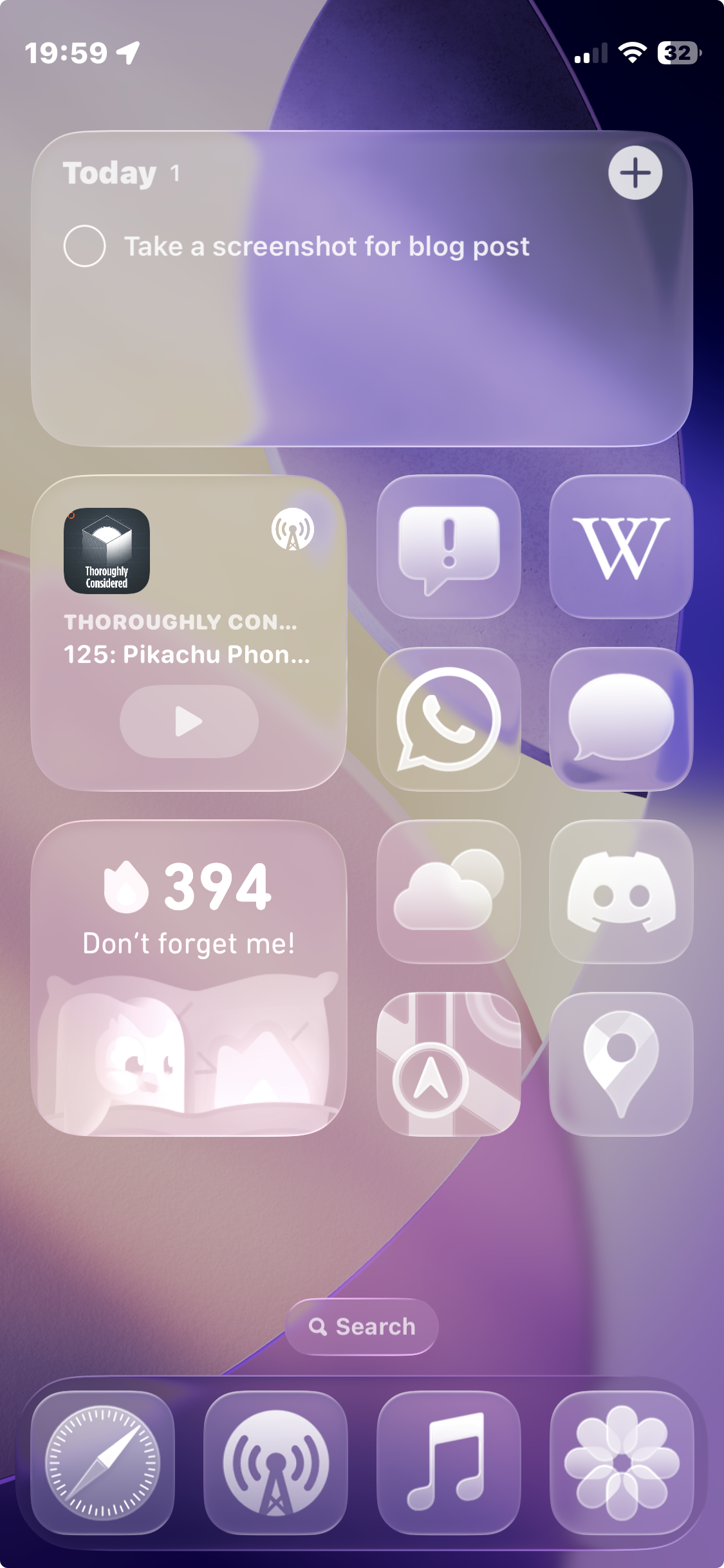
          		Despite its many flaws, iOS 26 does introduce some actually
          		quite good features when it comes to customisation. I've been super
          		enjoying the new clear look for the home screen (it does a
          		<em>surprisingly</em> good job at interpreting even un-updated app
          		icons and widgets) and the long clock on the lock screen.
          		</p>
          		<figure>
          		<img src="https://onetruegnu.com/images/purple-lock-screen.png" />
          		<img src="https://onetruegnu.com/images/purple-home-screen.png" />
          		<figcaption>My main lock and home screen.</figcaption>
          		</figure>
          		<br />
          		<p>
          		When I saw it at WWDC, I thought that the clear look was almost
          		completely unreadable and ugly, but as soon as I actually got it
          		in my hand, I found it to be really nice.
          		</p>
          		<p>
          		By the way, I'm on Beta 3 at time of posting, and I didn't grab
          		Beta 1 or 2.
          		</p>
          		<h3>Mario Kart World</h3>
          		<p>
          		I've actually been having a lot of fun playing <em>Mario Kart</em>.
          		I didn't really expect to get very into this game, and I'm not like
          		<em>super</em> into it, but I've learned a shortcut or two, and even joined
                <a href="https://discord.com/invite/uN8UjdwcmG">a Discord server</a>
          		to be able to play the “3-lap tracks”.
                <sup><a href="#footnote1" id="ref1">1</a></sup>
          		</p>
          		<p>
          		The game is really nice, and even though the open-world is fairly empty,
          		I still like that the tracks have some physical presence in a world,
          		even if I rarely visit that world. It's just nice to have them not be
          		trapped in a menu.
          		</p>
          		<h3>I made the PC I couldn't buy</h3>
          		<p>
          		I got <a
                        href="https://youtu.be/7HgAN5cEmkk?si=AEpRqshXmtn4LLws"
                    >this video</a>
          		from Christian Selig in my YouTube recommended
          		a few times before clicking on it, and as I was watching, it just
          		struck me that this was a just straight up a really good video,
          		in all the ways.
          		</p>
          		<h3>Self-Hosting</h3>
          		<p>
          		This website is running off of my old gaming laptop, and it's the
          		best experience I've had trying to put stuff on the internet, ever.
          		</p>
          		<p>
          		With a domain, ethernet cable, DHCP configuration, some port
          		forwarding and an <kbd>ssh</kbd> daemon set up, you can really
          		do anything (with some help from GPT).
          		</p>
          		<p>
          		Give it a shot!
          		</p>
          		<hr />
          		<sup id="footnote1">
          		1. In <em>World</em>, you sometimes
          		do a race by spending two of the “laps” on the highway driving
          		to your next track, and then only doing one lap of the track you picked.
          		This isn't as fun as normal, and Nintendo has no designated mode
          		to avoid them, but in a private lobby you can still pick to do
          		3 laps of a specific track, so in the Discord server people share
          		room codes. <a href="#ref1">↩</a>
          		</sup>
            </div>
		</content>
	</entry>
</feed>